The Common Dialog Box Library
The Common Dialog Box Library provides a collection of predefined Windows dialog boxes for performing frequently used tasks. These standard dialogs offer a consistent user interface across Windows applications, allowing users to interact with familiar controls regardless of the application they are using.
The library includes dialog boxes for:
- Opening files
- Saving files
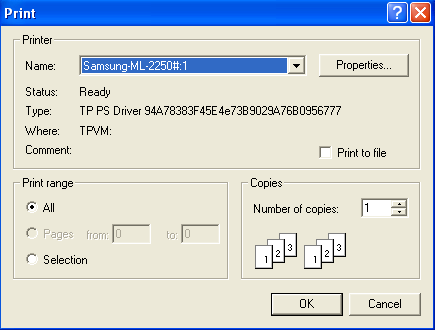
- Choosing a printer
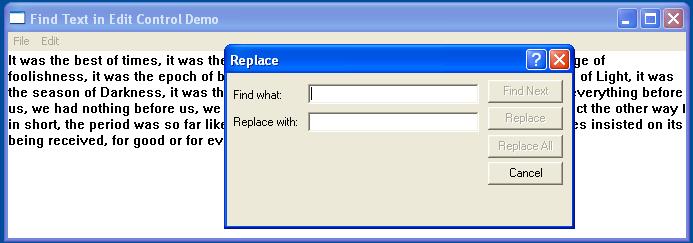
- Finding and replacing text
- Selecting fonts
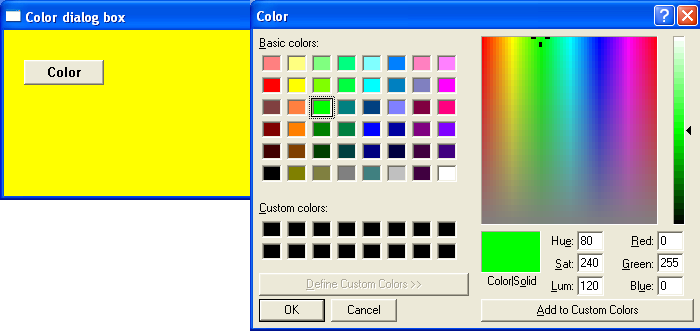
- Choosing colours
- Displaying help information (legacy)
Using the common dialog boxes helps ensure that an application follows the standard Windows look and feel, improving usability and reducing the amount of code that developers need to write and maintain.
The functions and data structures used by the Common Dialog Box Library are declared in the COMMDLG.H header file. To use these dialogs, an application typically performs the following steps:
- Declare and initialise the appropriate dialog box structure (for example,
OPENFILENAME,CHOOSECOLOR, orCHOOSEFONT). - Set the required fields of the structure, such as the owner window, filters, initial directory, or default values.
- Pass a pointer to the structure to the appropriate common dialog function.
- When the user closes the dialog box, the function returns control to the application. If the user confirms the operation, the structure contains the information selected or entered by the user.
Each common dialog function returns a value indicating whether the user completed the operation successfully or cancelled the dialog, allowing the application to respond accordingly.
For further reading https://docs.microsoft.com/en-us/windows/win32/dlgbox/dialog-box-types
The examples below demonstrate 3 common dialog boxes: text find and replace, the file open and save and colour select.
Select Colour Common Dialog Box
The Select Colour Dialog Box displays a basic set of available colours in addition to allowing a user to create custom colours by specifying RGB values
File Open/Save Common Dialog Box
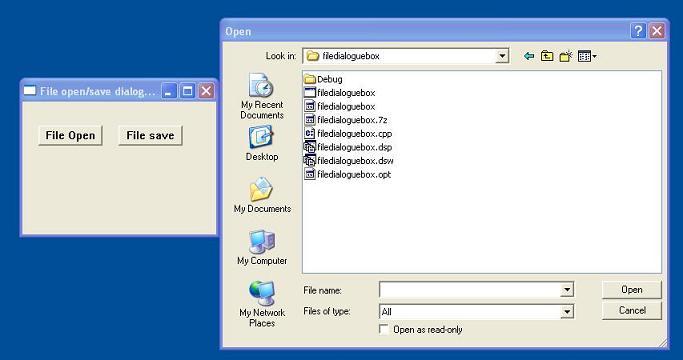
The ‘Common File-Open/Save’ dialog offers a consistent way to deal with file management operations, using the standard dialog interface that Windows users should be familiar with.
The Open dialog box lets the user specify the drive, directory, and the name of a file or set of files to open.
The Save As dialog box lets the user specify the drive, directory, and name of a file to save.
Find Common Dialog Box
The Find and Replace Common Dialog Box displays a modeless dialog box that allows the user to specify a string to search for within a text document, as well as additional options for text editing
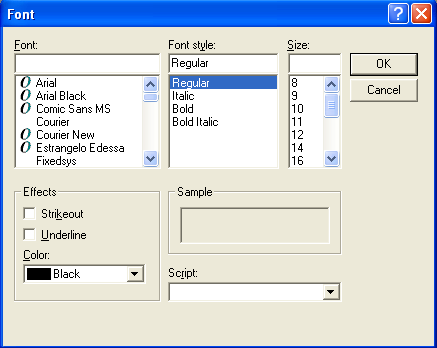
Font Common Dialog Box
Allows the user to select a font, style, size, and optional text effects using the standard Windows Font dialog.
Choose Printer Common Dialog Box
Printer Common Dialog Box – Displays the standard Windows Print dialog, allowing the user to select a printer, choose the number of copies, and specify print options before printing.